Affiliate disclosure: PromptHelp may earn a commission if you buy through our Kit links, at no extra cost to you. Our recommendations consider the limitations as well as the benefits.
A focused email platform for creators who will use segmentation and automation.
Kit is strongest for creators building an email-centered business around newsletters, products, memberships, courses, or sponsorships. Its free plan is unusually generous on subscriber capacity, while paid plans unlock the automation and workflow depth that matters once a list supports revenue.
The tradeoff is economic: paid pricing grows with active subscriber count. A large, lightly monetized list can become expensive, and teams wanting elaborate visual email design or enterprise campaign operations should test those requirements carefully.
Check Kit plans →We checked Kit’s public pricing, product pages, and help center on October 21, 2026. This is a research-based editorial review. We have not run a paid account, measured inbox placement, or tested support response times. Product capabilities below are documented features; judgments about creator fit are our analysis.
What is Kit?
Kit, formerly ConvertKit, is an email marketing platform designed around creators. It combines signup forms, landing pages, broadcasts, automated sequences, tags, segments, visual automations, recommendations, and tools for selling digital products and subscriptions.
The product’s central model is a subscriber profile that can collect tags, activity, purchases, and automation status. That supports more useful targeting than maintaining separate lists for every interest.
- A sensible shortlist: newsletter writers, educators, podcasters, authors, coaches, and digital-product businesses.
- A closer cost review: creators with large free audiences, seasonal lists, or many inactive subscribers.
- A different requirement: organizations centered on complex ecommerce catalogs, enterprise approvals, or highly designed promotional templates.
Kit pricing: subscriber count changes the decision
Kit’s current structure includes a permanent free Newsletter plan and paid Creator and Creator Pro plans. Paid prices depend on active subscriber count and billing period, so a single starting figure does not describe what a growing list will cost.
| Plan | Pricing model | Main distinction |
|---|---|---|
| Newsletter | $0 while eligible; up to 10,000 subscribers | Unlimited forms, landing pages, and broadcasts; core audience tools |
| Creator | Scales with active subscribers | Unlimited visual automations and sequences, integrations, and migration assistance |
| Creator Pro | Higher subscriber-based tier | Advanced growth, reporting, and support features |
At the time of research, Kit offered a 14-day paid-plan trial without requiring a credit card. The correct comparison is the price at your current list size and the next two growth bands—not only the entry price. Compare current Kit email marketing plans for creators and verify which features and migration services are included.
Three list costs to model
- Active subscribers. Clean cold or invalid records before using list size to estimate a paid plan.
- Growth path. Project the price after a launch, giveaway, or recommendation campaign expands the audience.
- Commerce and integrations. Check processing fees, connected app subscriptions, and any paid growth services you intend to use.
The Kit features that matter in everyday work
1. Visual Automations connect signup behavior to email
Visual Automations can use forms, tags, purchases, and other events as entry points, then connect subscribers to sequences, delays, conditions, and actions. The visual map makes a customer path easier to inspect than a collection of isolated rules.
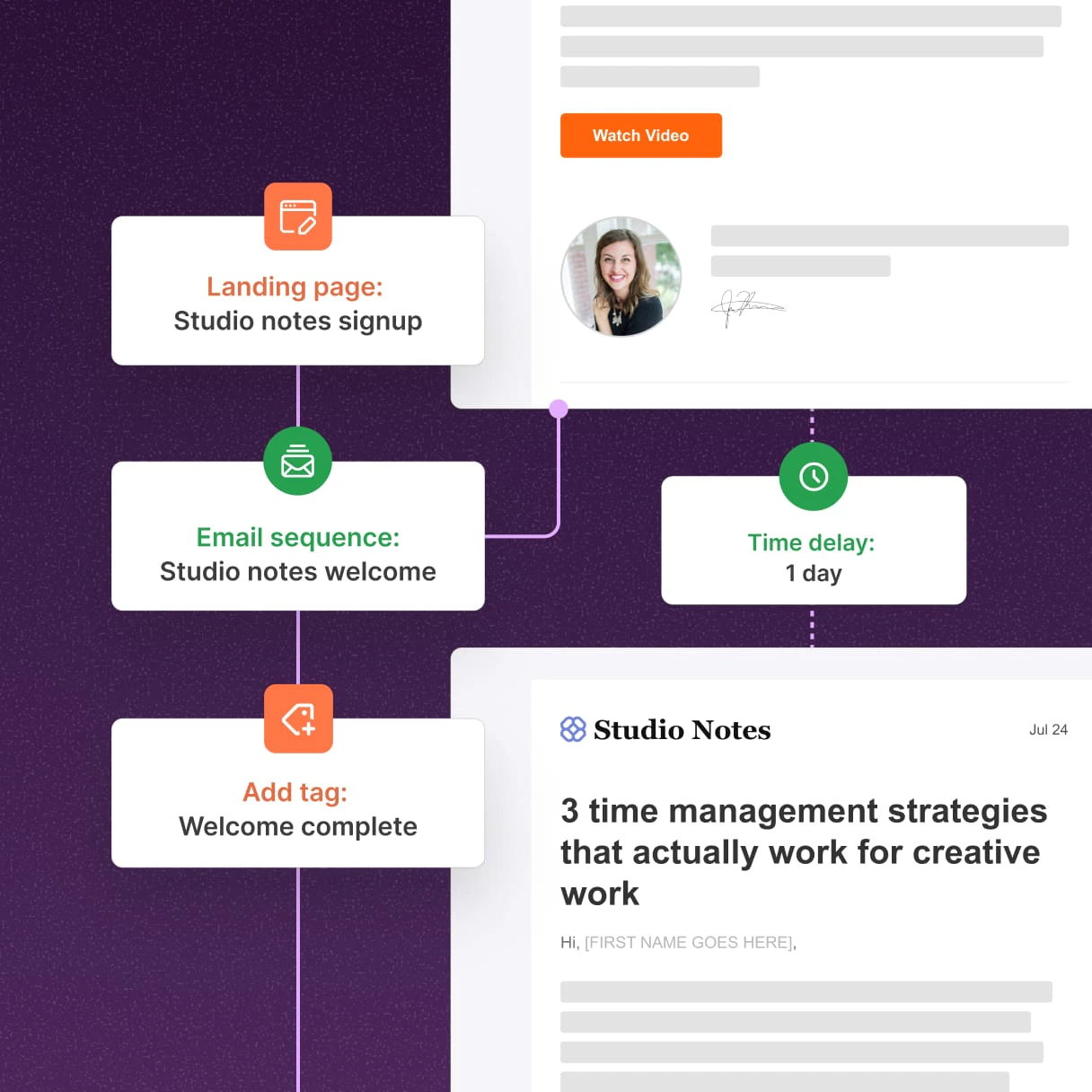
Complexity still needs discipline. Name entry points and tags consistently, define what happens when someone buys, and make sure subscribers cannot enter conflicting nurture and customer sequences at the same time.
2. Broadcasts and sequences serve different jobs
Broadcasts are one-time sends; sequences are ordered automated emails. A creator can use broadcasts for a weekly newsletter and sequences for onboarding, course delivery, or a sales education path. Scheduling and exclusions need review before activation.
3. Tags and segments support behavior-based targeting
Tags are persistent labels; segments are saved groups based on conditions. This lets a creator target people who joined through a certain form, clicked a topic, or purchased a product without copying records into duplicate lists.
4. The editor favors focused creator emails
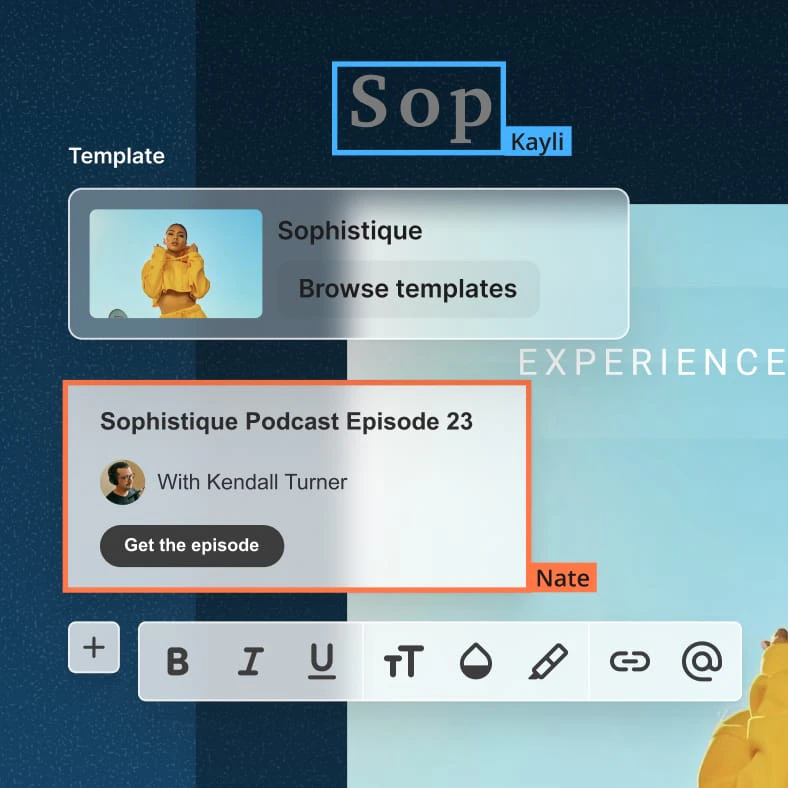
Kit supports templates and a visual email editor, but the product’s strength is not unlimited design freedom. A simple, readable message can suit creator newsletters well. Brands needing elaborate modules, rigid campaign approvals, or extensive design testing should build their real template during the trial.
5. Growth and commerce features sit beside email
Forms, landing pages, creator recommendations, digital products, paid subscriptions, and purchase tracking can connect audience growth to monetization. Each revenue feature still needs its own economics, audience consent, and customer-support plan.
Kit pros and cons
What we like
- A creator-focused model for broadcasts, sequences, and products.
- A free plan with substantial subscriber capacity.
- Visual Automations make subscriber journeys easier to inspect.
- Tags and segments support one audience record with multiple interests.
What to weigh carefully
- Paid cost rises as the active subscriber count grows.
- The free plan does not include the full automation experience.
- Design-heavy brands may want more layout and testing depth.
- Deliverability still depends on list quality, authentication, and content.
The free plan and the paid product solve different problems
The free Newsletter plan is useful for publishing and audience capture. Unlimited Visual Automations are a paid-plan capability. Build a feature map around what you need now so the free subscriber limit does not distract from a paid workflow requirement.
List hygiene affects both results and cost
Tags, segments, and engagement data are only useful when imports are permission-based and records are maintained. Establish a policy for invalid, bounced, unengaged, and unsubscribed contacts before migration.
Deliverability: what this review can verify
We can verify that Kit provides sending, authentication guidance, audience tools, and reporting. We cannot verify the inbox placement your account will achieve. Sender reputation, domain setup, consent, engagement, content, and recipient providers all affect delivery.
During a trial or staged migration, inspect:
- Domain authentication and the From address configuration.
- Import status, consent evidence, tags, custom fields, and suppressions.
- Received, opened, clicked, bounced, complained, and unsubscribed behavior.
- Links, personalization, dark mode, and mobile rendering in real inboxes.
- Whether purchase and automation events arrive correctly.
Judge it by your creator business model and list economics.
A stronger fit
- Your audience and products are organized around email.
- You want forms, sequences, tags, and automations in one creator workflow.
- You can connect subscriber growth to measurable revenue or engagement.
Review carefully
- Your large list produces little revenue or engagement.
- Your campaigns require highly elaborate visual design.
- You need complex enterprise approvals and permissions.
Price Kit at your real list size and build one automation during the trial. Then review Kit plans for newsletters and creator email automation.
Before you migrate to Kit: a seven-point checklist
- Export everything. Preserve contacts, consent data, tags, fields, segments, templates, and suppression records.
- Clean the audience. Remove invalid records and decide how to handle long-term inactivity.
- Map old logic to new logic. Translate lists, groups, and automations into Kit tags, segments, sequences, and entry points.
- Authenticate the domain. Complete the required DNS work before a full-volume send.
- Rebuild key templates. Test the newsletter and transactional-looking emails your audience actually receives.
- Stage the move. Import a small verified group, test links and events, then expand.
- Prevent duplicate sends. Define the exact cutover time and pause conflicting automations in the old platform.
Our recommendation: use the trial to test a complete subscriber journey
Kit deserves a place on the shortlist when email is the center of a creator business. The combination of audience capture, sequences, visual automations, and creator monetization is coherent, and the free plan gives a new publisher room to begin.
We would be more cautious when the list is already large but lightly monetized, the brand depends on complex promotional design, or the team needs enterprise campaign operations. Test signup, tagging, sequence delivery, a purchase event, and reporting with your own workflow before committing.
Kit review FAQs
Is Kit still the same product as ConvertKit?
Kit is the current name of the creator email platform formerly known as ConvertKit. Older tutorials and integrations may still use the previous name.
Is Kit free for 10,000 subscribers?
Kit’s official Free plan documentation says the Newsletter plan costs $0 while eligible and supports up to 10,000 subscribers, with specific included and excluded features. Confirm current terms before importing.
How much does paid Kit cost?
Creator and Creator Pro pricing scales with active subscriber count and can vary by billing period. Use your real audience size and expected growth to check the current price.
Does Kit include unlimited email sends?
The official Free plan lists unlimited broadcasts, but plan eligibility, acceptable-use rules, and individual feature limits still apply. Check the current plan comparison for your account.
Can Kit sell digital products?
Kit documents tools for digital products and subscriptions. Review the supported countries, payment processing, transaction terms, tax responsibilities, and customer workflow for your business.
Did PromptHelp test Kit deliverability?
No. This review evaluates current documentation and business fit. It does not claim hands-on inbox-placement, support, or revenue results.
Ready to try Kit? See current plans and trial terms.
Try Kit →